Sunday, May 1, 2016

Pocketlab!


Description:

"PocketLab connects with a single button to your iPhone or iPad and instantly streams measurement data that you can see and record. PocketLab measures acceleration, force, angular velocity, magnetic field, pressure, altitude, and temperature. Using our cloud software, you can easily analyze your data, create graphs, and integrate your data with other software. PocketLab has the same features as lab equipment that costs thousands of dollars but is low cost and intuitive to use."

Application:

What an amazing concept! An app that lets you make scientific measurements and syncs the results to an iPhone or iMac? The possibilities are endless! This app would be most beneficial in studying physics due to the nature of the application. Although my specific content area is Biology, I could use the application in Middle School grades where covering physics concepts is a part of the common core standards. For example, kids love to parachute army men off high objects. How great would it be to attach the app sensor to the army man and record his velocity and acceleration as he falls? Or we could create a race track where the force, velocity and acceleration can be recorded as the car gains momentum. 

The biggest drawback of the app is the cost of the sensor. The sensor costs $98 which really is not that expensive given the nature of other science instrument costs. The application itself is free which is an added bonus. 

Here is the link and some screen shots to this revolutionary product:

Link:


CK-12


Description:

"CK-12 is an app to help students, and teachers improve K-12 learning globally by providing self-pace learning content & tools.

Learn over 5,000 math and science concepts at your own pace and in your own style! (videos, assessments, interactive objects, etc)"

Application:

This application is a great resource to use for educators in providing supportive materials to students at home. Biology teachers can utilize this app after reviewing learning materials in class as a supplemental support for their students. They can assign a specific reading or have students search for videos and articles themselves on a given topic at home. The app works on a PC, tablet, or even smartphone so students have multiple outlets to use the resource on. An example of using this application would be to assign students to find one article or video on CK-12 for homework on the plant processes such as photosynthesis. Given the nature of the application, the use of technology outside of the classroom would be an issue. However, you could set aside ten minutes of class time for students to use the application in school if your student body is in a economically disadvantaged area. 

Here is a link to CK-12 and some screen shots!


Movenote for Education


Description:

"Add your favorite content from whatever source you want, and record video alongside to it with your computer, tablet or smartphone."

Application:

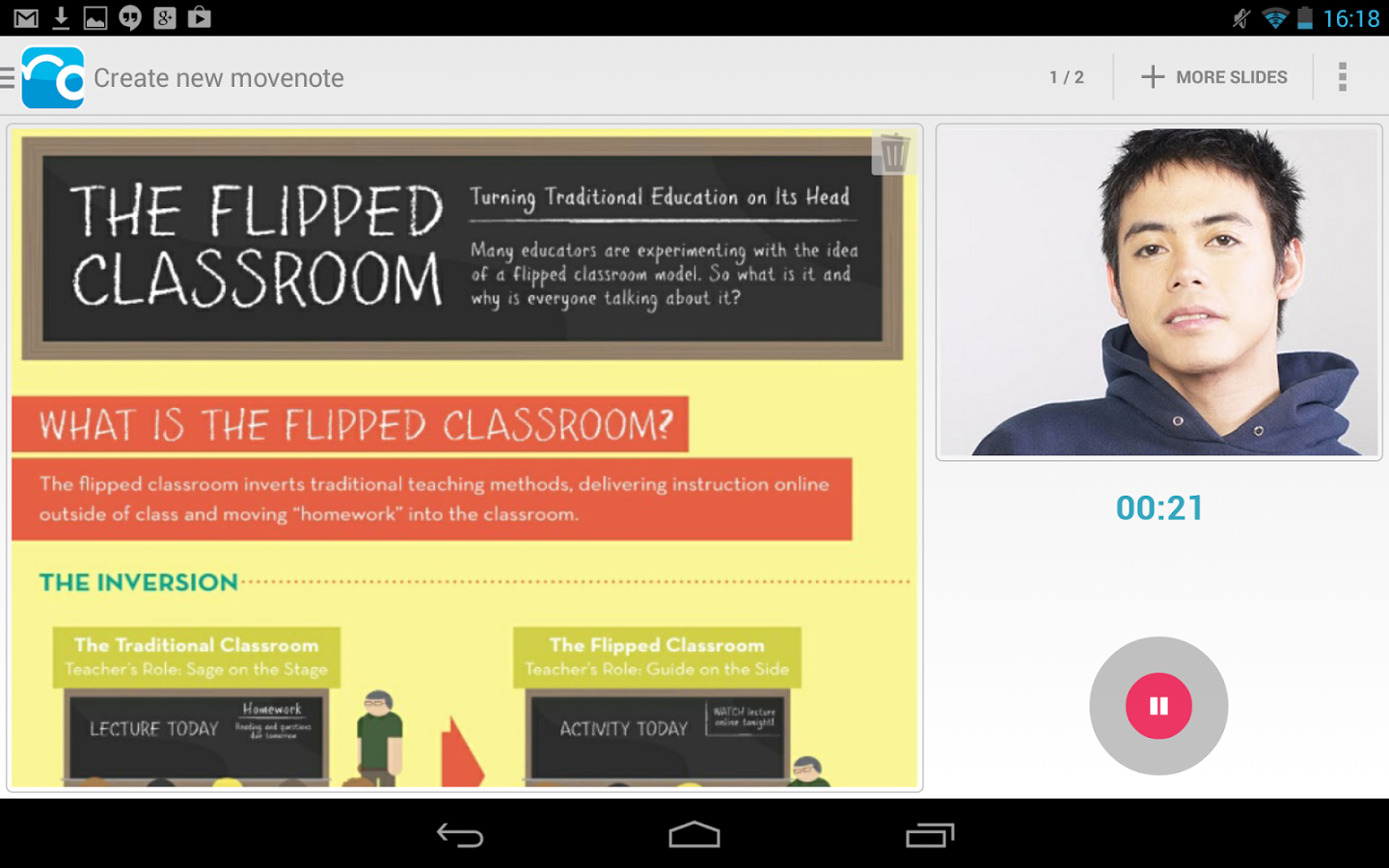
Move note is a great new tool that brings the power of Google Apps and recorded video together. This app allows users to record themselves with a webcam while uploading and speaking about a document. The document can be from Microsoft Word, Google Drive, or even be a Google Doc. The finished product can be shared through Google Docs or through email.

This app could not make creating a flipped lesson easier. Biology teachers could use this app to record themselves presenting a lesson with the proper supporting materials so that that students may view the lesson and home and come into class ready to engage and use their new found knowledge for application inside the classroom. Obviously, this means that students would have to have computers at home in order for them to reap the benefits of a flipped lesson. Ideally, this app is for those teaching communities with strong technological support at home.

Here's a link to the app and some screen shots!

www.movenote.com


Lucid Chart!


Description:

“Lucidchart is a web-based diagramming tool that makes drawing diagrams fast and easy. Students can work individually on assignments or with an unlimited number of other classmates to create and edit diagrams in real time -- great for group projects.”

Application:

Lucidchart would be a great addition to any curriculum and content area. In a biology class, Lucidchart could be used by the teacher and students in creating flow charts and diagrams for projects and lessons. For example, Lucidchart could be used by the teacher in a lesson about food webs. The instructor could use the program to create a food web and after the lesson introduce the students to the app so that they may collaborate on a food web of their own. Another type of project that Lucidchart could be used with is creating family trees for a specific species. As a Biology teacher, you could have students map out a species' evolutionary family history by collaborating on an intricate flow chart beginning with the original species and spanning to other species, families, phylum, etc.

A problem that a teacher may face in using such a tool is technology accessibility at home. The app is also fairly complex depending on the type of chart the students want to create so tech support and app literacy may also be an issue, especially in younger grades or with students with limited technology skills.

Below you'll find some screen shots of the app and a link to the app itself!

Link:
https://www.lucidchart.com/users/registerOrLogin/free?showLogin=false


Thursday, April 28, 2016

Science Bits!


"Science Bits provides teachers with lessons that help them teach science in a way that engages their students. Based on the constructivist 5E Instructional Model, Science Bits lessons use high quality multimedia interactive content to develop an inquiry-based, learning-by-doing method. Science Bits can be used either as a substitute for textbooks or as complementary material."


In a biology classroom, Science Bits can be very helpful in planning and supporting a science lesson. As schools and curriculum move more towards incorporating and mandating technology in the classroom, an application like Science Bits becomes highly useful. Science Bits works perfectly with smart boards and allows students to interact with the lesson in place of traditional oral dictation. The app also allows the instructor to post lessons online with corresponding activities so that students can be active learners at home as well as in school.


As with most technology, the biggest obstacle to using this app would be whether or not students have the access to the technology at home. The benefit of this app is that it can be used primarily in the classroom if your students don't have the access at home.


View below for some sample screen shots and for the link to the app!


The link to Science Bits: 

Wednesday, April 20, 2016

Flipped Lesson: Clean Coal

For my flipped lesson I decided to pick the topic of "Clean Coal." In my theoretical biology class, my students are learning about sustainability and how we can become more sustainable as a society. In order to do that, they need to learn about different natural resources that we use and their impacts on the environment and communities. Since coal is the cheapest, most widely used and abundant resource, it is a crucial resource to cover. The fact that there is so much information that is easily accessible to students about coal also makes it an ideal topic to want to flip a lesson on.

During the day of my lesson, I am having my students work with a partner for a pair activity. I will be presenting them with a theoretical community which is in need of a power source. They only have the capabilities to use either coal or nuclear power. Using their prior knowledge about nuclear energy and their new found, self-taught knowledge on coal, the students are responsible for choosing one method of energy to provide power to the nearby town. They are then to write a short report on what type of implications the new plant will have for the surrounding environment and nearby town. This will serve as their exit ticket for the day. During their partner time, I will be walking throughout the classroom ensuring that each pair is on the right track and providing prompts for them to think about while working on their report.

The idea of a flipped classroom is a great one. I believe this idea will work better with more simple topics and concepts which don't need extensive scholastic support. Student demographics will also be a concern as if you work in a lower socioeconomic area your students are less likely to have access to technology outside of school.

To read my Ted-Ed lesson click here:
https://ed.ted.com/on/waTIsb7a#watch

Sunday, March 6, 2016

Using Padlet to Plan a Unit About Biology

This past week we planned out a unit using the bulletin-style application, Padlet. The unit topic that I chose was Sustainability, a topic that is seldom spoken about outside of consumer goods. Sustainability is perhaps one of the most important concepts to educate future generations on as our current way of life around the world is not sustainable by any means. Projections based on human population growth and consumer "needs" of an ever developing world economy show dire prospects in the near future if certain changes are not made by the upcoming generation. I planned out my essential questions so that in answering them, a student could explain whether or not a society, behavior, or resource is sustainable.

 Finding resources for a unit on sustainability was not too difficult as there are many prime examples of cities, communities, schools, and home which are becoming more environmentally friendly. A google scholar search provided me with articles to provide my students and a search on YouTube provided with the sustainable school video. As my students will be responsible for researching sources of information, I opted to use Instagrot as a research tool for my students. This tool automatically filters any inappropriate search results that may pop up. I also opted to use Kahoot! as a form of summative and formative assessment. Kahoot! allows students to build their own quizzes and administer them to the class. By using this app I can assess not only the quiz that the student has administered but also the results of the quiz itself as a form of understanding of the material.

 Check out my Padlet post below: